EditGPX - A QGIS Plugin
Need for the Plugin
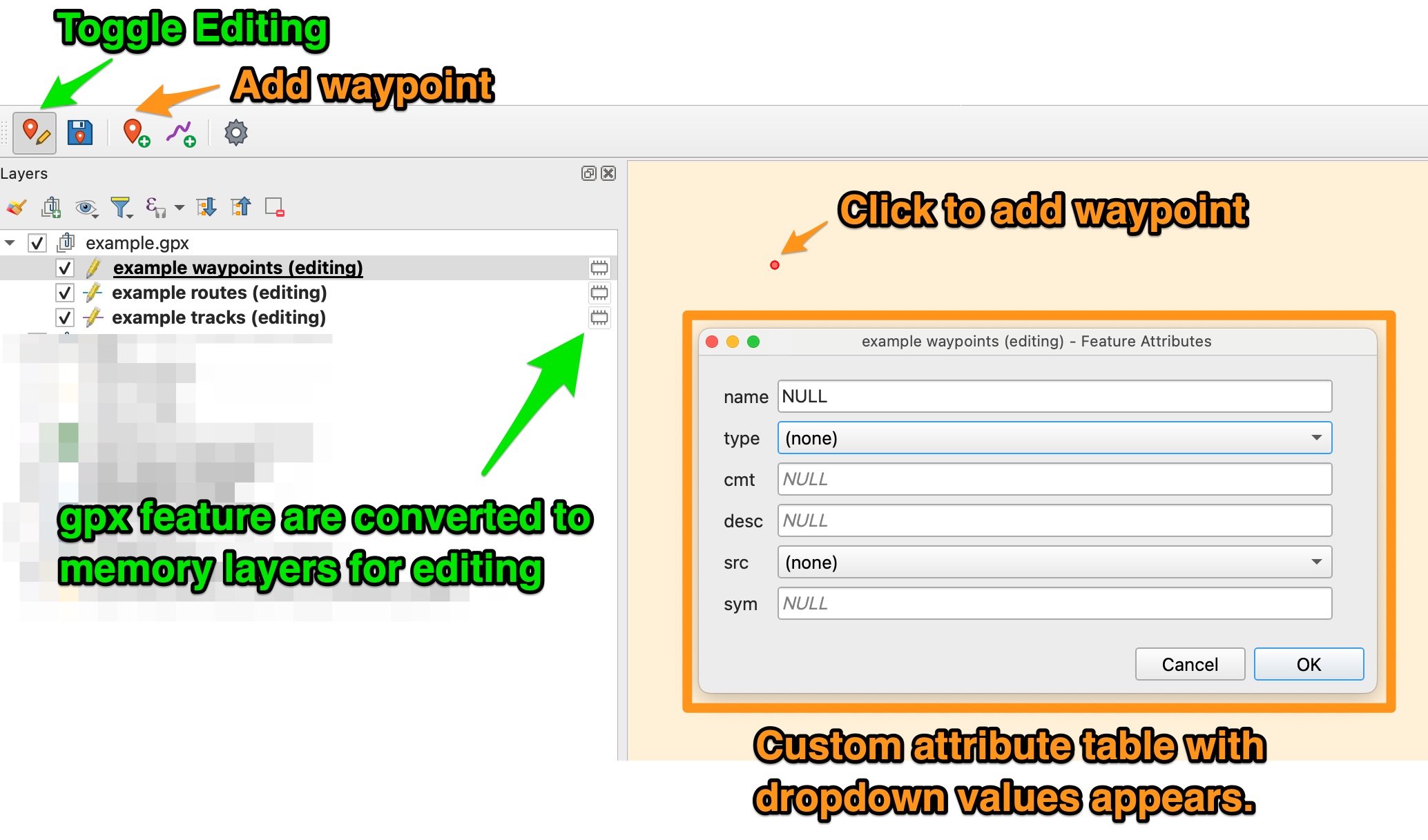
I often need to work with gpx files and it can be a pain to convert the features to a valid QGIS layer that you can edit and then re-save as gpx. This plugin solves this by reading the gpx xml (like normal), but the plugin allows you to ‘directly’ edit the gpx file by creating temporary memory layers for waypoints, tracks, and routes. after saving the edits, the gpx file is directly updated. There are also several features to maintain consistent attributes, limit attribute entry to only the fields you want, and keep the toolbar tidy.
Installation
- From the QGIS Plugins repository, search for ‘EditGPX’ and install it.
- Optionally, access the code at the repository here
Usage - Toolbar and Menu
The plugin toolbar:
- New GPX File…
- Open GPX File… (plugin can edit any valid gpx file)
- Edit Mode Toggle
- Save Edits to .gpx file on disk
- New Waypoint
- New Route
- New Track
- Edit/View gpx file metadata
- Plugin settings and options

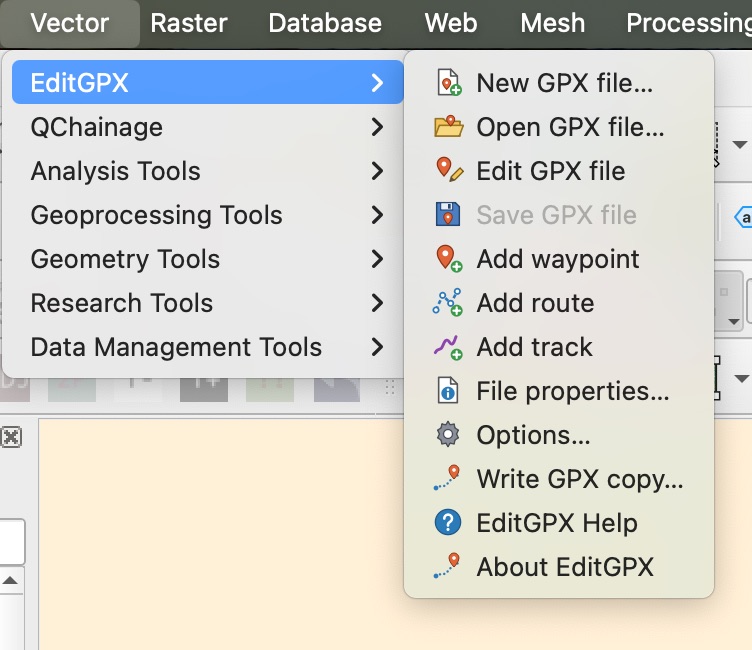
The plugin Menu (Vector>EditGPX): All of the same options as the toolbar, with the addition of Help, About, and write a copy to disk
Usage - Options/Settings
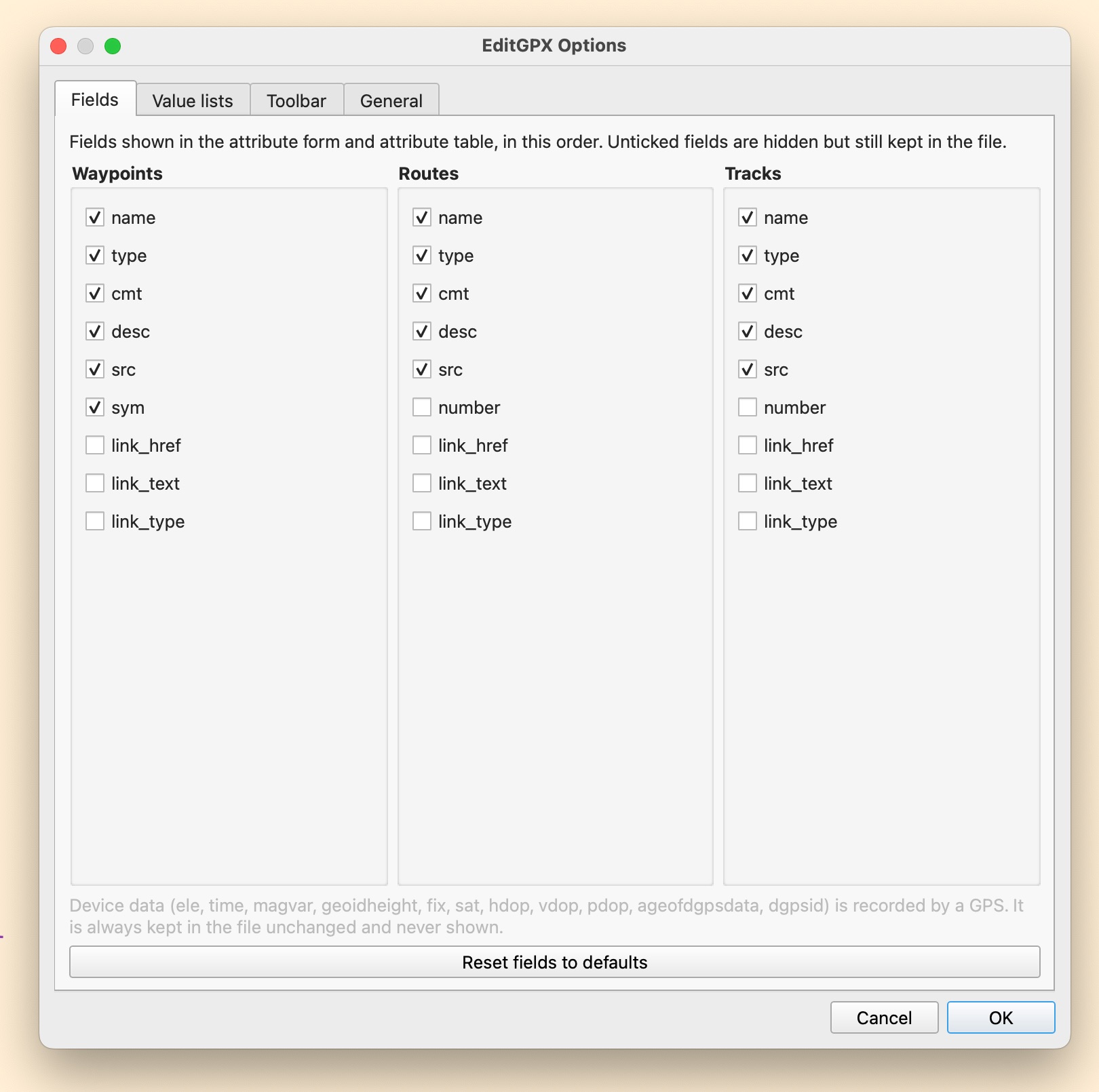
Field Chooser
Limit the fields that show up in the attribute table form after creating a feature to keep things tidy.
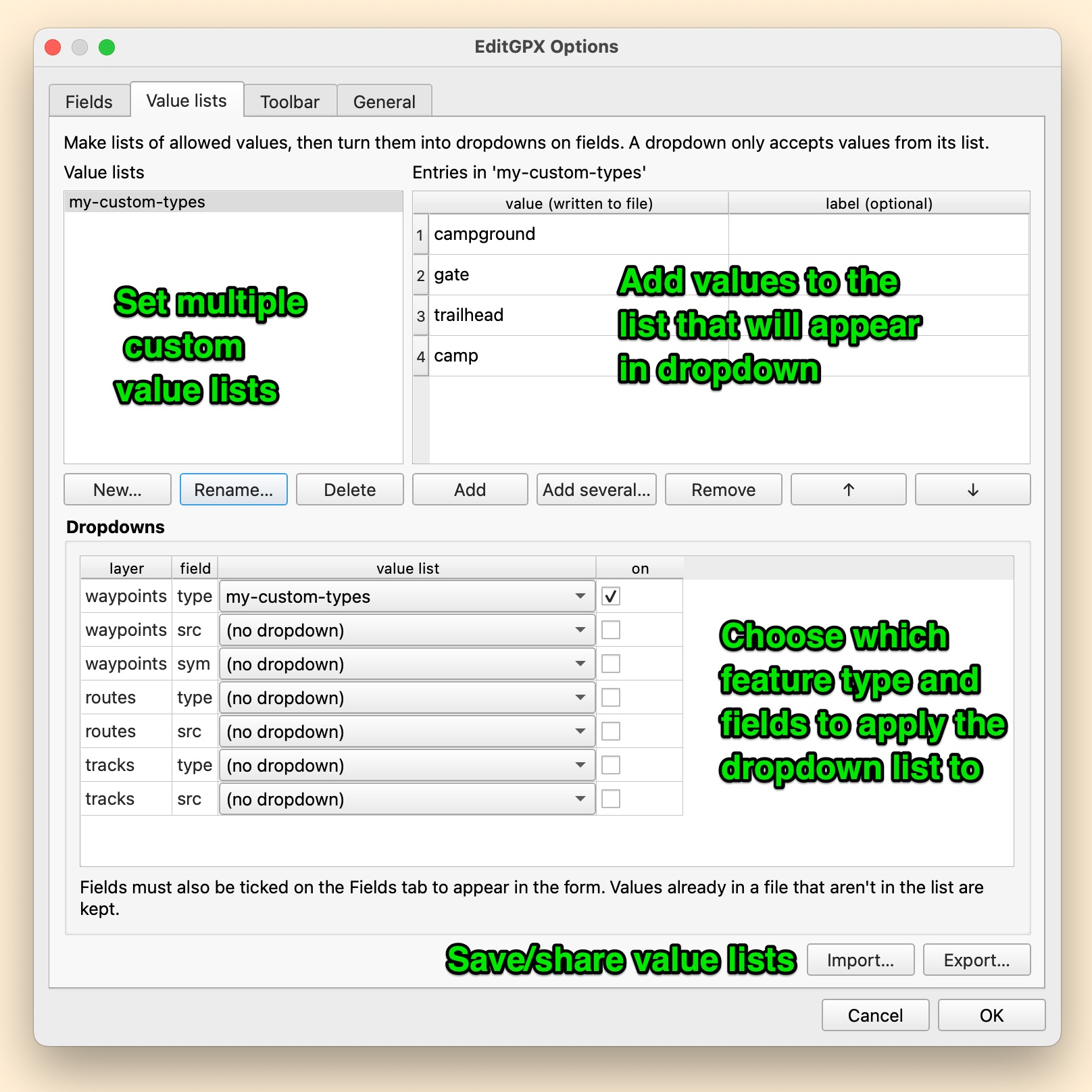
Value Lists
In order to make data that has consistent values without having to manually type the fields, value lists can be created and applied to feature types and chosen fields.
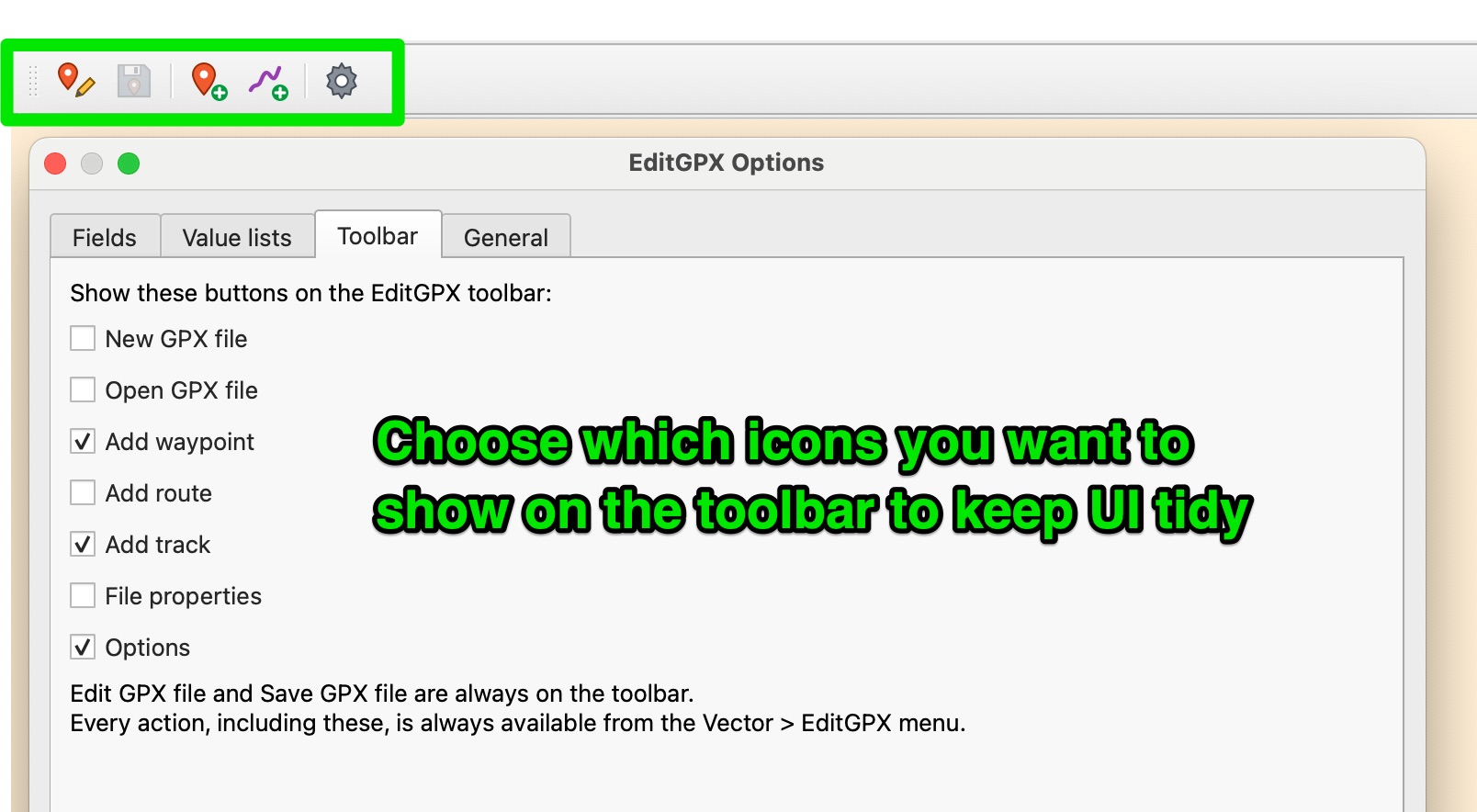
Toolbar Options
Keep the toolbar tidy with only the icons you want. The rest will always show in the menu
Usage - editing
Editing is pretty straightforward–just use the toolbar plugin buttons instead of the standard QGIS editing tools.